Build an SEO Dashboard with Real-Time SERP Data
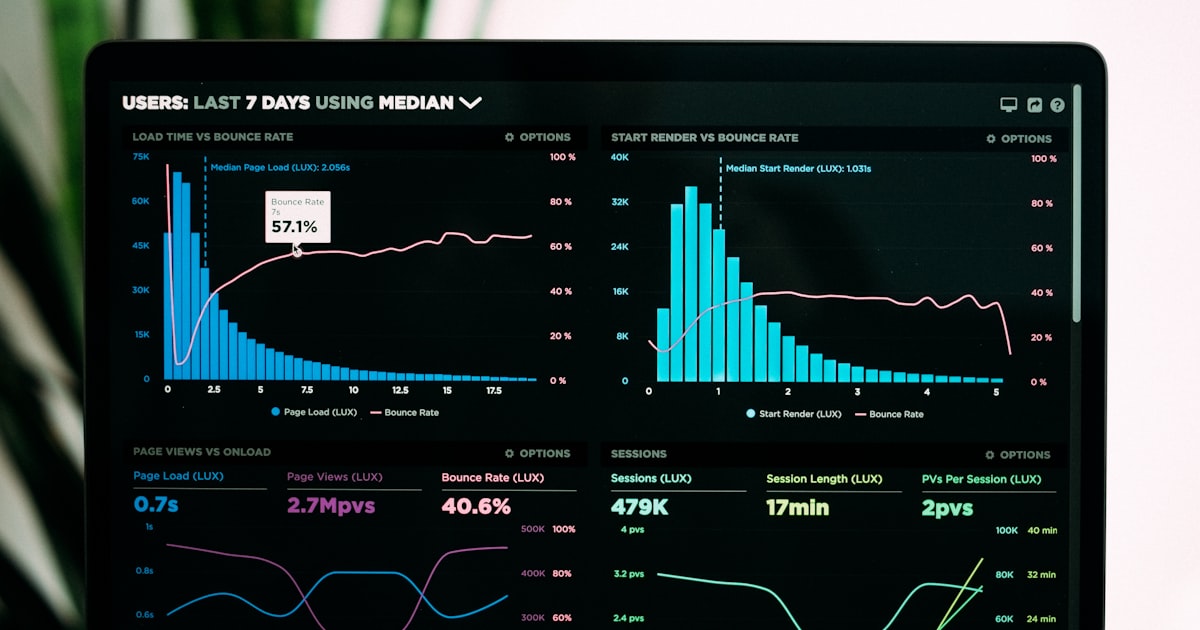
Commercial SEO dashboards are expensive and opinionated. They show you what they think matters, at the price they choose. Building your own dashboard with a SERP API gives you full control over the metrics you track, how data is visualized, and what it costs. In this tutorial, you will build a complete SEO dashboard using Node.js, Express, SQLite, and Chart.js -- powered by Serpent API for the underlying search data.
2026 update: For multi-engine + multi-LLM brand visibility, see our brand SERP monitoring guide.
What We Will Build
The finished dashboard will include:
- A summary panel showing keyword count, average position, and position distribution
- A ranking table with current positions, changes since last check, and trend indicators
- Line charts showing ranking trends over the past 30 days
- SERP feature indicators (featured snippets, PAA, ads) for each keyword
- A competitor comparison view showing how your rankings stack up
- Automated daily data collection running in the background
The tech stack is deliberately simple: no React, no webpack, no complex build process. Just a Node.js server rendering data to a clean HTML frontend.
Architecture Overview
The dashboard has three layers:
| Layer | Technology | Purpose |
|---|---|---|
| Data Collection | Node.js + node-cron | Periodically fetches SERP data from Serpent API and stores it |
| Backend API | Express.js + SQLite | Serves dashboard data as JSON endpoints |
| Frontend | HTML + Chart.js | Renders charts, tables, and summary cards |
This separation means the dashboard loads instantly from cached data, while the data collector runs independently on a schedule.
Backend Setup with Node.js
Start by creating the project and installing dependencies:
mkdir seo-dashboard
cd seo-dashboard
npm init -y
npm install express better-sqlite3 node-cron
Create the database schema in db.js:
const Database = require('better-sqlite3');
const path = require('path');

const db = new Database(path.join(__dirname, 'rankings.db'));

// Enable WAL mode for better concurrent read/write
db.pragma('journal_mode = WAL');

db.exec(`
  CREATE TABLE IF NOT EXISTS rankings (
    id INTEGER PRIMARY KEY AUTOINCREMENT,
    keyword TEXT NOT NULL,
    position INTEGER,
    url TEXT,
    title TEXT,
    has_snippet BOOLEAN DEFAULT 0,
    snippet_owner TEXT,
    paa_count INTEGER DEFAULT 0,
    ads_count INTEGER DEFAULT 0,
    checked_at TEXT NOT NULL
  );

  CREATE TABLE IF NOT EXISTS competitors (
    id INTEGER PRIMARY KEY AUTOINCREMENT,
    keyword TEXT NOT NULL,
    domain TEXT NOT NULL,
    position INTEGER,
    checked_at TEXT NOT NULL
  );

  CREATE INDEX IF NOT EXISTS idx_rankings_keyword
    ON rankings (keyword, checked_at);
  CREATE INDEX IF NOT EXISTS idx_competitors_keyword
    ON competitors (keyword, checked_at);
`);

module.exports = db;
Using better-sqlite3 instead of the async sqlite3 package makes the code cleaner and faster -- synchronous SQLite is perfectly fine for a dashboard with a single writer.
Data Collection Layer
Create collector.js to handle fetching and storing SERP data:
const db = require('./db');

const API_BASE = 'https://apiserpent.com/api/search';
const API_KEY = process.env.SERPENT_API_KEY;
const DOMAIN = process.env.TRACK_DOMAIN || 'yourdomain.com';
const COMPETITORS = (process.env.COMPETITORS || '').split(',').filter(Boolean);

const KEYWORDS = [
  'project management software',
  'team collaboration tool',
  'kanban board online',
  'agile sprint planning',
  'remote team management',
];

async function collectKeyword(keyword) {
  const params = new URLSearchParams({
    q: keyword,
    apikey: API_KEY,
    engine: 'google',
    num: 50,
    gl: 'us',
    hl: 'en',
  });

  const resp = await fetch(`${API_BASE}?${params}`);
  if (!resp.ok) throw new Error(`API ${resp.status}: ${resp.statusText}`);
  const data = await resp.json();

  const now = new Date().toISOString();
  const organic = data.organic_results || [];
  const snippet = data.featured_snippet || null;
  const paa = data.people_also_ask || [];
  const ads = data.ads || [];

  // Find our position
  const match = organic.find(r => r.link && r.link.includes(DOMAIN));

  // Save our ranking
  db.prepare(`
    INSERT INTO rankings
    (keyword, position, url, title, has_snippet, snippet_owner, paa_count, ads_count, checked_at)
    VALUES (?, ?, ?, ?, ?, ?, ?, ?, ?)
  `).run(
    keyword,
    match ? match.position : null,
    match ? match.link : null,
    match ? match.title : null,
    snippet ? 1 : 0,
    snippet ? snippet.link : null,
    paa.length,
    ads.length,
    now
  );

  // Save competitor positions
  for (const comp of COMPETITORS) {
    const compMatch = organic.find(r => r.link && r.link.includes(comp));
    db.prepare(`
      INSERT INTO competitors (keyword, domain, position, checked_at)
      VALUES (?, ?, ?, ?)
    `).run(keyword, comp, compMatch ? compMatch.position : null, now);
  }

  return { keyword, position: match ? match.position : null };
}

async function collectAll() {
  console.log(`[${new Date().toISOString()}] Starting data collection...`);
  for (const keyword of KEYWORDS) {
    try {
      const result = await collectKeyword(keyword);
      const pos = result.position ? `#${result.position}` : 'N/A';
      console.log(`  ${keyword}: ${pos}`);
      await new Promise(r => setTimeout(r, 1500)); // Rate limit buffer
    } catch (err) {
      console.error(`  Error on "${keyword}": ${err.message}`);
    }
  }
  console.log('Collection complete.');
}

module.exports = { collectAll, KEYWORDS };
Dashboard API Endpoints
Create server.js with the Express app and dashboard endpoints:
const express = require('express');
const cron = require('node-cron');
const path = require('path');
const db = require('./db');
const { collectAll, KEYWORDS } = require('./collector');

const app = express();
app.use(express.static(path.join(__dirname, 'public')));

// GET /api/summary — overview stats
app.get('/api/summary', (req, res) => {
  const latest = db.prepare(`
    SELECT keyword, position, has_snippet, paa_count, ads_count, checked_at
    FROM rankings
    WHERE checked_at = (SELECT MAX(checked_at) FROM rankings WHERE keyword = rankings.keyword)
    GROUP BY keyword
  `).all();

  const ranked = latest.filter(r => r.position !== null);
  const avgPosition = ranked.length
    ? ranked.reduce((sum, r) => sum + r.position, 0) / ranked.length
    : null;

  res.json({
    totalKeywords: latest.length,
    rankingKeywords: ranked.length,
    averagePosition: avgPosition ? +avgPosition.toFixed(1) : null,
    top3: ranked.filter(r => r.position <= 3).length,
    top10: ranked.filter(r => r.position <= 10).length,
    top20: ranked.filter(r => r.position <= 20).length,
    snippetsOwned: latest.filter(r => r.has_snippet).length,
    lastChecked: latest[0]?.checked_at || null,
  });
});

// GET /api/rankings — current rankings with change data
app.get('/api/rankings', (req, res) => {
  const rankings = KEYWORDS.map(keyword => {
    const rows = db.prepare(`
      SELECT position, url, has_snippet, checked_at
      FROM rankings
      WHERE keyword = ?
      ORDER BY checked_at DESC
      LIMIT 2
    `).all(keyword);

    const current = rows[0] || {};
    const previous = rows[1] || {};
    const change = (previous.position && current.position)
      ? previous.position - current.position
      : null;

    return {
      keyword,
      position: current.position,
      url: current.url,
      hasSnippet: !!current.has_snippet,
      change,
      checkedAt: current.checked_at,
    };
  });

  res.json(rankings);
});

// GET /api/trends/:keyword — 30-day ranking history
app.get('/api/trends/:keyword', (req, res) => {
  const rows = db.prepare(`
    SELECT position, checked_at
    FROM rankings
    WHERE keyword = ? AND checked_at >= datetime('now', '-30 days')
    ORDER BY checked_at ASC
  `).all(req.params.keyword);

  res.json(rows);
});

// GET /api/competitors/:keyword — competitor positions
app.get('/api/competitors/:keyword', (req, res) => {
  const rows = db.prepare(`
    SELECT domain, position, checked_at
    FROM competitors
    WHERE keyword = ?
      AND checked_at = (SELECT MAX(checked_at) FROM competitors WHERE keyword = ?)
  `).all(req.params.keyword, req.params.keyword);

  res.json(rows);
});

// Schedule data collection daily at 7 AM
cron.schedule('0 7 * * *', collectAll);

const PORT = process.env.PORT || 3000;
app.listen(PORT, () => {
  console.log(`SEO Dashboard running on http://localhost:${PORT}`);
});
Frontend with Chart.js
Create public/index.html for the dashboard frontend. Here is the key structure:
<!DOCTYPE html>
<html lang="en">
<head>
  <title>SEO Dashboard</title>
  <script src="https://cdn.jsdelivr.net/npm/chart.js"></script>
  <style>
    .summary-grid {
      display: grid;
      grid-template-columns: repeat(auto-fit, minmax(180px, 1fr));
      gap: 1rem;
      margin-bottom: 2rem;
    }
    .stat-card {
      background: #f8f9fa;
      border-radius: 8px;
      padding: 1.5rem;
      text-align: center;
    }
    .stat-card .value { font-size: 2rem; font-weight: 700; }
    .stat-card .label { color: #666; font-size: 0.9rem; }
    .change-up { color: #059669; }
    .change-down { color: #dc2626; }
  </style>
</head>
<body>
  <h1>SEO Dashboard</h1>

  <!-- Summary Cards -->
  <div class="summary-grid" id="summaryGrid"></div>

  <!-- Rankings Table -->
  <table id="rankingsTable">
    <thead>
      <tr>
        <th>Keyword</th>
        <th>Position</th>
        <th>Change</th>
        <th>Snippet</th>
        <th>URL</th>
      </tr>
    </thead>
    <tbody></tbody>
  </table>

  <!-- Trend Chart -->
  <canvas id="trendChart" width="800" height="400"></canvas>

  <script>
    // Fetch and render summary
    async function loadSummary() {
      const data = await fetch('/api/summary').then(r => r.json());
      document.getElementById('summaryGrid').innerHTML = `
        <div class="stat-card">
          <div class="value">${data.rankingKeywords}/${data.totalKeywords}</div>
          <div class="label">Keywords Ranking</div>
        </div>
        <div class="stat-card">
          <div class="value">#${data.averagePosition || 'N/A'}</div>
          <div class="label">Avg Position</div>
        </div>
        <div class="stat-card">
          <div class="value">${data.top10}</div>
          <div class="label">In Top 10</div>
        </div>
        <div class="stat-card">
          <div class="value">${data.snippetsOwned}</div>
          <div class="label">Snippets Owned</div>
        </div>
      `;
    }

    // Fetch and render rankings table
    async function loadRankings() {
      const rankings = await fetch('/api/rankings').then(r => r.json());
      const tbody = document.querySelector('#rankingsTable tbody');
      tbody.innerHTML = rankings.map(r => `
        <tr>
          <td>${r.keyword}</td>
          <td>${r.position ? '#' + r.position : 'N/A'}</td>
          <td class="${r.change > 0 ? 'change-up' : r.change < 0 ? 'change-down' : ''}">
            ${r.change > 0 ? '+' + r.change : r.change || '-'}
          </td>
          <td>${r.hasSnippet ? 'Yes' : 'No'}</td>
          <td>${r.url || '-'}</td>
        </tr>
      `).join('');
    }

    loadSummary();
    loadRankings();
  </script>
</body>
</html>
Rendering Trend Charts
Add a function that loads historical data for a keyword and renders it as a line chart. Since lower position numbers are better, invert the y-axis:
async function loadTrend(keyword) {
  const data = await fetch(`/api/trends/${encodeURIComponent(keyword)}`)
    .then(r => r.json());

  new Chart(document.getElementById('trendChart'), {
    type: 'line',
    data: {
      labels: data.map(d => new Date(d.checked_at).toLocaleDateString()),
      datasets: [{
        label: keyword,
        data: data.map(d => d.position),
        borderColor: '#0d9488',
        backgroundColor: 'rgba(13, 148, 136, 0.1)',
        fill: true,
        tension: 0.3,
      }],
    },
    options: {
      scales: {
        y: {
          reverse: true,  // Lower position = better = higher on chart
          min: 1,
          title: { display: true, text: 'Position' },
        },
      },
      plugins: {
        title: { display: true, text: `Ranking Trend: "${keyword}"` },
      },
    },
  });
}
Adding Competitor Tracking
Since each SERP API call returns the full list of organic results, you can extract competitor positions from the same data without additional API calls. The collector.js file already saves competitor data. Here is how to visualize it:
async function loadCompetitorComparison(keyword) {
  const [yourData, compData] = await Promise.all([
    fetch(`/api/trends/${encodeURIComponent(keyword)}`).then(r => r.json()),
    fetch(`/api/competitors/${encodeURIComponent(keyword)}`).then(r => r.json()),
  ]);

  // Build a comparison table
  const rows = compData.map(c => ({
    domain: c.domain,
    position: c.position ? `#${c.position}` : 'Not ranking',
  }));

  // Add your own position
  const yourPos = yourData[yourData.length - 1]?.position;
  rows.unshift({
    domain: 'yourdomain.com (You)',
    position: yourPos ? `#${yourPos}` : 'Not ranking',
  });

  return rows;
}
A clean comparison table showing your position versus competitors for each keyword is one of the most valuable dashboard views. It answers the question: "Am I winning or losing?"
Displaying SERP Features
Beyond organic rankings, your dashboard should show which SERP features appear for each keyword. Serpent API returns featured snippets, People Also Ask, ads, and more. Display them as indicators in your rankings table:
// Enhanced rankings table with SERP feature badges
function renderRankingRow(r) {
  const features = [];
  if (r.hasSnippet) features.push('<span class="badge snippet">Snippet</span>');
  if (r.paaCount > 0) features.push(`<span class="badge paa">PAA (${r.paaCount})</span>`);
  if (r.adsCount > 0) features.push(`<span class="badge ads">Ads (${r.adsCount})</span>`);

  return `
    <tr>
      <td>${r.keyword}</td>
      <td>${r.position ? '#' + r.position : 'N/A'}</td>
      <td>${features.join(' ')}</td>
    </tr>
  `;
}
This lets you spot opportunities at a glance. A keyword where you rank #3 with no featured snippet is a prime candidate for snippet optimization.
Automated Data Collection
The node-cron schedule in server.js runs data collection daily at 7 AM. For more control, you can run the collector as a standalone script:
// collect.js — standalone data collection script
const { collectAll } = require('./collector');

collectAll()
  .then(() => {
    console.log('Done.');
    process.exit(0);
  })
  .catch(err => {
    console.error('Collection failed:', err);
    process.exit(1);
  });
Then schedule it with cron separately from the dashboard server:
# Run collection at 7 AM and 7 PM
0 7,19 * * * cd /path/to/seo-dashboard && node collect.js >> collect.log 2>&1
This approach is more resilient -- if the dashboard server restarts, your data collection schedule is unaffected.
Deployment Options
A few ways to deploy your dashboard, from simplest to most robust:
| Option | Best For | Cost |
|---|---|---|
| Local machine | Personal use, development | Free |
| VPS (DigitalOcean, Hetzner) | Small team, always-on access | $4-6/month |
| Google Cloud Run | Auto-scaling, zero maintenance | Pay per use |
| Railway or Render | Quick deploy, managed hosting | Free tier available |
For a team dashboard, a $5/month VPS is the sweet spot. You get persistent storage for the SQLite database, a stable URL for team access, and cron support for scheduling.
Cost breakdown for a full dashboard: VPS hosting at $5/month + Serpent API tracking 50 keywords daily at $0.23/month = $5.23/month total. Compare that to $99-499/month for Ahrefs, SEMrush, or similar commercial tools.
Frequently Asked Questions
What technologies do I need to build an SEO dashboard?
A basic SEO dashboard requires a backend (Node.js with Express works well), a SERP API for data, a database (SQLite for simplicity or PostgreSQL for production), and a frontend (plain HTML/JS with a charting library like Chart.js). No heavy frameworks are required.
How often should the dashboard refresh ranking data?
For most use cases, running a data collection job once or twice daily is sufficient. Rankings rarely change hour-to-hour. The dashboard frontend loads cached data from your database instantly, while the backend periodically refreshes it via the SERP API.
Can I track competitors on the same dashboard?
Yes. Since the SERP API returns the full list of organic results, you can extract positions for multiple domains from a single API call. Track your domain alongside 3-5 competitors without any additional API cost.
How much does it cost to run an SEO dashboard with Serpent API?
The API cost depends on keyword count and check frequency. Tracking 50 keywords daily with DuckDuckGo costs about $0.23/month on the default tier. Even with Google search across 100 keywords daily, the monthly cost stays under $3 on the Scale tier.
Should I use a frontend framework like React or Vue?
For a personal or small-team dashboard, plain HTML with Chart.js is simpler and faster to build. If you plan to add complex interactivity like drag-and-drop widgets, real-time updates, or user management, a framework like React or Vue becomes worthwhile.
Power Your Dashboard with Serpent API
Get search data from Google, Yahoo, Bing, and DuckDuckGo. 10 free web searches to start.
Get Your Free API KeyExplore: SERP API · News API · Image Search API · Try in Playground