Price Monitoring with a SERP API: A Working Python Build (2026)
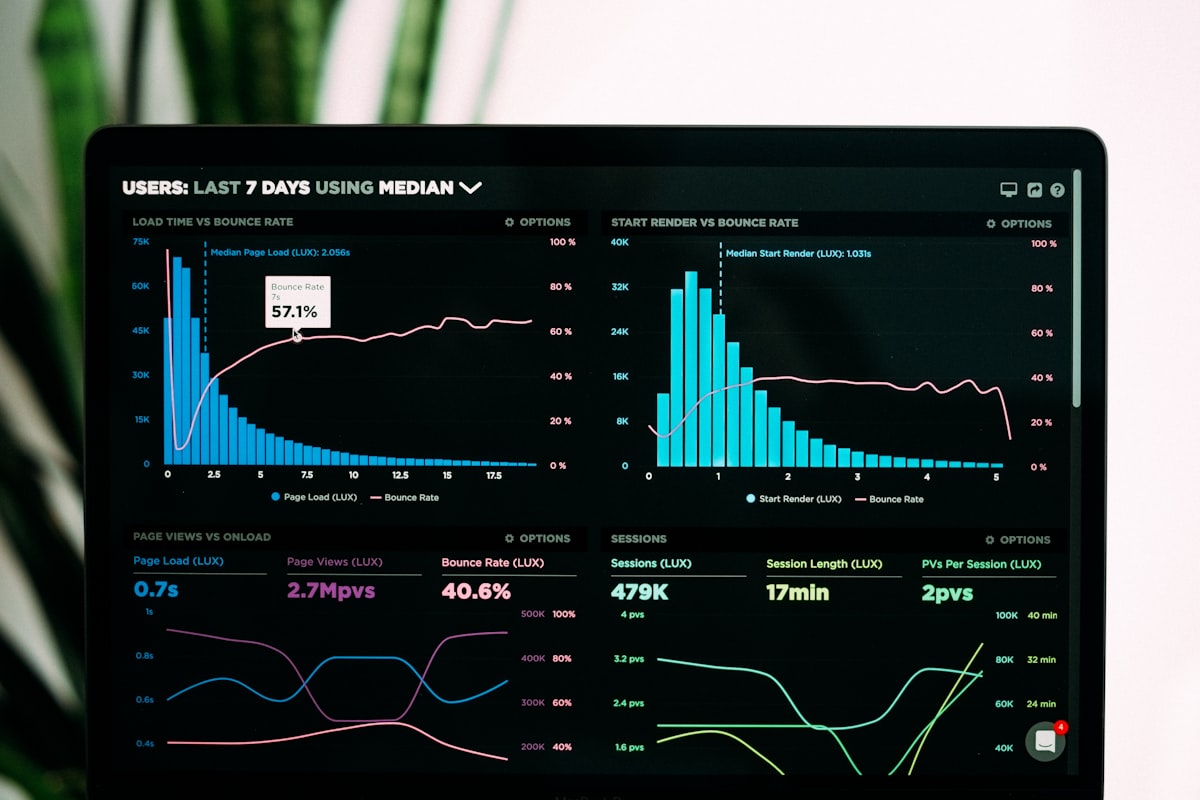
Price monitoring is one of the most high-value applications for search data in e-commerce. When a competitor drops their price on a key product, you need to know. When a new entrant enters your market with aggressive pricing, you need visibility. When your own pricing is out of alignment with what customers are seeing in search results, you need to understand that before your conversion rate tells you.
Dedicated price monitoring services exist, but they are expensive, often require manual configuration for each competitor, and typically focus on specific marketplaces rather than the broad picture of what appears in organic search results. A SERP API gives you a different and complementary angle: what pricing information is appearing in the search results that your customers are actually seeing when they search for your product category.
In this guide, we will build a complete price monitoring system from scratch using the Serpent API. By the end, you will have a Python application that searches for your target products, extracts price data from search snippets, stores historical data in a database, and sends alerts when significant price changes occur.
Method note: The workflow below reads the web SERP surface (/api/search). Two honest caveats from our August 2026 tests: price extraction from organic snippets is a signal, not a guarantee — not every retailer puts a price in the meta description — and if you want normalized product cards instead of snippet parsing, the dedicated Shopping API will return price/extractedPrice directly — it is coming soon and is not callable yet. Web SERP data is billed per 1,000 SERP API calls (from $0.03 at Scale); the Shopping API is planned at $0.25 per 1,000 calls at Scale.
Why Price Monitoring Matters
The case for price monitoring is straightforward: in competitive e-commerce markets, pricing is one of the highest-leverage variables you control. A competitor who undercuts you by 10% on a high-volume product can meaningfully shift market share. A competitor who raises prices creates an opportunity for you to capture margin or volume.
Repricing automation. The most sophisticated e-commerce operators use price monitoring data to feed automatic repricing systems. When a competitor lowers their price below a threshold, an automated rule adjusts your price to maintain a competitive position. This kind of dynamic pricing requires continuous, reliable price data — which a SERP API can provide at minimal cost.
Market intelligence. Price data aggregated over time reveals competitive patterns. You can see when competitors run seasonal promotions, how they respond to your own price changes, and how new market entrants position themselves. This intelligence informs your broader pricing strategy, not just individual product decisions.
Customer perception. What customers see in search results shapes their price expectations before they ever visit your site. If the snippet for your product page shows a price that is 20% higher than the competitors visible in the same SERP, you are starting every customer interaction at a disadvantage. Monitoring search-visible pricing helps you understand your competitive position from the customer's perspective.
MAP (Minimum Advertised Price) compliance. If you are a brand selling through distributors or resellers, monitoring search results for your product names can help you identify resellers who are violating MAP agreements by advertising prices below your minimum. Automated monitoring is far more scalable than manual checks.
Fetching Search Results for Price Data
The foundation of our price monitoring system is a function that queries the SERP API for a product and retrieves the organic results, including their titles, URLs, and snippets. Snippets often contain price information that retailers have optimized their pages to show in search results.
import requests
import re

API_KEY = "YOUR_API_KEY"

def search_products(product_name, country="us"):
    """Search for product pricing data."""
    response = requests.get(
        "https://apiserpent.com/api/search",
        params={
            "q": f"{product_name} price buy",
            "num": 20,
            "country": country,
            "apiKey": API_KEY
        }
    )
    return response.json()
Note the query format: we append "price buy" to the product name. This signals commercial intent to the search engine and tends to surface results from product pages and retailers rather than review sites or informational content. For some product categories, you may want to experiment with different query formulations to find the one that surfaces the most useful competitive data.
Setting num=20 rather than the default 10 gives us more results to parse, which is useful because not every result will contain extractable price data. More raw results mean more price data points to work with.
Step 1 — Set Up Your Price Monitor Class
We will structure our price monitoring system as a Python class that encapsulates the search, extraction, storage, and alerting logic. This makes it easy to instantiate monitors for different products and to extend the system with new capabilities over time.
import sqlite3
import smtplib
import time
from datetime import datetime
from email.mime.text import MIMEText

class PriceMonitor:
    """Monitor competitor prices through SERP data."""

    def __init__(self, db_path="price_monitor.db", api_key=None):
        self.api_key = api_key or API_KEY
        self.db_path = db_path
        self.conn = self._init_database()

    def _init_database(self):
        """Initialize SQLite database for price storage."""
        conn = sqlite3.connect(self.db_path)
        cursor = conn.cursor()
        cursor.execute("""
            CREATE TABLE IF NOT EXISTS price_history (
                id INTEGER PRIMARY KEY AUTOINCREMENT,
                product TEXT NOT NULL,
                domain TEXT NOT NULL,
                title TEXT,
                url TEXT,
                price REAL,
                snippet TEXT,
                checked_at TIMESTAMP DEFAULT CURRENT_TIMESTAMP
            )
        """)
        cursor.execute("""
            CREATE TABLE IF NOT EXISTS price_alerts (
                id INTEGER PRIMARY KEY AUTOINCREMENT,
                product TEXT NOT NULL,
                domain TEXT NOT NULL,
                old_price REAL,
                new_price REAL,
                change_pct REAL,
                alert_sent_at TIMESTAMP DEFAULT CURRENT_TIMESTAMP
            )
        """)
        conn.commit()
        return conn

    def search(self, product_name, country="us"):
        """Fetch search results for a product."""
        response = requests.get(
            "https://apiserpent.com/api/search",
            params={
                "q": f"{product_name} price buy",
                "num": 20,
                "country": country,
                "apiKey": self.api_key
            }
        )
        return response.json()

    def extract_prices(self, serp_data):
        """Extract price information from all organic results."""
        organic = serp_data.get("results", {}).get("organic", [])
        prices = []

        for result in organic:
            price = extract_price_from_snippet(result.get("snippet", ""))
            if price:
                domain = result.get("link", "").split("/")[2] if "//" in result.get("link", "") else "unknown"
                prices.append({
                    "domain": domain,
                    "title": result.get("title", ""),
                    "url": result.get("link", ""),
                    "price": price,
                    "snippet": result.get("snippet", "")
                })

        return prices
The class initializes a SQLite database with two tables: one for the price history (every price observation we ever make) and one for alerts (records of when we detected significant price changes and sent notifications). This separation keeps your raw data clean and makes it easy to audit your alerting history independently of your price history.

Step 2 — Parse Price Data from Snippets
The trickiest part of the price monitoring system is extracting prices from unstructured search snippets. Retailers format prices in many different ways, and our extraction function needs to handle the most common patterns reliably.
def extract_price_from_snippet(snippet):
    """Extract price from search result snippet."""
    if not snippet:
        return None
    # Match patterns like $29.99, $1,299, USD 45
    patterns = [
        r'\$[\d,]+\.?\d*',
        r'USD\s*[\d,]+\.?\d*',
        r'[\d,]+\.?\d*\s*USD'
    ]
    for pattern in patterns:
        match = re.search(pattern, snippet)
        if match:
            price_str = re.sub(r'[^\d.]', '', match.group())
            try:
                return float(price_str)
            except ValueError:
                pass
    return None
The function tries three patterns in order of preference. The first pattern catches the most common US dollar format ($29.99, $1,299). The second catches prices prefixed with the currency code (USD 45.00). The third catches suffix-format prices (45.00 USD). Once we find a match, we strip all non-numeric characters except the decimal point and convert to a float.
For international price monitoring, you would extend this with patterns for other currencies (GBP, EUR, JPY, INR, etc.) and their various formatting conventions. The function would need to be parameterized by target currency or accept a country code to determine which patterns to apply.
It is important to note that snippet-based price extraction has inherent limitations. Not all retailers include prices in their meta descriptions (which is what typically appears in snippets). Some prices in snippets may be outdated if the page was cached. And prices for variable products (different sizes, configurations) may be listed as ranges rather than single values. Your monitoring system should be designed with these limitations in mind — it is a signal, not a perfect price database.
Step 3 — Store and Compare Prices
Once we have extracted prices for a product's search results, we need to store them and compare against historical data to detect changes.
def record_prices(self, product, prices):
    """Store price observations and detect changes."""
    cursor = self.conn.cursor()
    changes = []

    for price_data in prices:
        # Get the most recent price for this product/domain combination
        cursor.execute("""
            SELECT price FROM price_history
            WHERE product = ? AND domain = ?
            ORDER BY checked_at DESC LIMIT 1
        """, (product, price_data["domain"]))

        row = cursor.fetchone()
        previous_price = row[0] if row else None

        # Store the new observation
        cursor.execute("""
            INSERT INTO price_history
            (product, domain, title, url, price, snippet)
            VALUES (?, ?, ?, ?, ?, ?)
        """, (
            product,
            price_data["domain"],
            price_data["title"],
            price_data["url"],
            price_data["price"],
            price_data["snippet"]
        ))

        # Check for significant price change
        if previous_price and previous_price != price_data["price"]:
            change_pct = ((price_data["price"] - previous_price) / previous_price) * 100
            if abs(change_pct) >= 5.0:  # Alert on 5%+ changes
                changes.append({
                    "domain": price_data["domain"],
                    "old_price": previous_price,
                    "new_price": price_data["price"],
                    "change_pct": change_pct
                })

    self.conn.commit()
    return changes

def get_price_history(self, product, domain=None, days=30):
    """Retrieve price history for analysis."""
    cursor = self.conn.cursor()
    if domain:
        cursor.execute("""
            SELECT domain, price, checked_at FROM price_history
            WHERE product = ? AND domain = ?
            AND checked_at >= datetime('now', '-' || ? || ' days')
            ORDER BY checked_at ASC
        """, (product, domain, days))
    else:
        cursor.execute("""
            SELECT domain, price, checked_at FROM price_history
            WHERE product = ?
            AND checked_at >= datetime('now', '-' || ? || ' days')
            ORDER BY checked_at ASC
        """, (product, days))
    return cursor.fetchall()
The threshold of 5% for triggering an alert is a reasonable default, but you should tune this based on your product category and how sensitive you want your monitoring to be. For high-ticket items, a 2% price change may be significant. For commodity products, you might only care about changes of 10% or more. Make the threshold a configurable parameter when you deploy this system.

Step 4 — Set Up Price Change Alerts
When a significant price change is detected, you want to know about it immediately. The most straightforward alerting mechanism is email, but you can extend this to Slack webhooks, SMS, or any other notification channel your team uses.
def send_email_alert(self, product, changes, smtp_config):
    """Send email notification for price changes."""
    if not changes:
        return

    subject = f"Price Alert: {product} - {len(changes)} change(s) detected"

    body_lines = [f"Price changes detected for: {product}\n"]
    for change in changes:
        direction = "DECREASED" if change["change_pct"] < 0 else "INCREASED"
        body_lines.append(
            f"  {change['domain']}: {direction} {abs(change['change_pct']):.1f}%\n"
            f"  Old price: ${change['old_price']:.2f}\n"
            f"  New price: ${change['new_price']:.2f}\n"
        )

    body = "\n".join(body_lines)
    msg = MIMEText(body)
    msg["Subject"] = subject
    msg["From"] = smtp_config["from"]
    msg["To"] = smtp_config["to"]

    with smtplib.SMTP(smtp_config["host"], smtp_config["port"]) as server:
        server.starttls()
        server.login(smtp_config["username"], smtp_config["password"])
        server.send_message(msg)

def send_webhook_alert(self, product, changes, webhook_url):
    """Send Slack/Discord webhook notification for price changes."""
    if not changes:
        return

    text_lines = [f"*Price Alert: {product}*"]
    for change in changes:
        direction = "dropped" if change["change_pct"] < 0 else "increased"
        text_lines.append(
            f"  - `{change['domain']}` price {direction} "
            f"{abs(change['change_pct']):.1f}% "
            f"(${change['old_price']:.2f} -> ${change['new_price']:.2f})"
        )

    payload = {"text": "\n".join(text_lines)}
    requests.post(webhook_url, json=payload)
The webhook-based alert is particularly useful for team environments — you can send alerts directly to a Slack channel where your pricing or e-commerce team can see them in real time and take action without waiting for email. Most webhook endpoints (Slack, Discord, Microsoft Teams) accept a simple JSON payload with a text field, making this integration trivial to implement.
Scheduling and Automation
A price monitoring system is only useful if it runs continuously without requiring manual intervention. There are two main approaches to scheduling: OS-level cron jobs and Python-based scheduling with APScheduler.
from apscheduler.schedulers.blocking import BlockingScheduler

# Define the products to monitor
MONITORED_PRODUCTS = [
    "Sony WH-1000XM5 headphones",
    "Apple AirPods Pro",
    "Samsung 65 inch OLED TV",
    "Dyson V15 vacuum"
]

SMTP_CONFIG = {
    "host": "smtp.gmail.com",
    "port": 587,
    "username": "your@email.com",
    "password": "your_app_password",
    "from": "your@email.com",
    "to": "alerts@yourcompany.com"
}

SLACK_WEBHOOK = "https://hooks.slack.com/services/YOUR/WEBHOOK/URL"

def run_monitoring_cycle():
    """Execute one complete monitoring cycle for all products."""
    monitor = PriceMonitor(api_key=API_KEY)
    print(f"[{datetime.now().isoformat()}] Starting monitoring cycle...")

    for product in MONITORED_PRODUCTS:
        print(f"  Checking: {product}")
        try:
            serp_data = monitor.search(product)
            prices = monitor.extract_prices(serp_data)
            changes = monitor.record_prices(product, prices)

            if changes:
                print(f"    ALERT: {len(changes)} price change(s) detected!")
                monitor.send_webhook_alert(product, changes, SLACK_WEBHOOK)
                monitor.send_email_alert(product, changes, SMTP_CONFIG)
            else:
                print(f"    No significant changes (found {len(prices)} prices)")

            time.sleep(1)  # Rate limit between products
        except Exception as e:
            print(f"    Error monitoring {product}: {e}")

    print(f"[{datetime.now().isoformat()}] Monitoring cycle complete.")

# Schedule to run every 6 hours
scheduler = BlockingScheduler()
scheduler.add_job(run_monitoring_cycle, "interval", hours=6)

print("Price monitor started. Ctrl+C to stop.")
scheduler.start()
Running the monitor every 6 hours gives you four data points per day per product. For most price monitoring use cases this is sufficient — retailers rarely change prices multiple times per day, and daily trends are what matter for strategic decision-making. If you need more frequent monitoring for a particular product category, you can adjust the interval accordingly.
For production deployment, you would run this as a background service on a VPS or cloud instance. A small $5/month VPS is more than sufficient for monitoring dozens of products. At Serpent API's Scale tier, web SERP data is $0.03 per 1,000 SERP API calls, so monitoring 50 products four times per day (200 calls/day, ~6,000/month) works out to about eighteen cents a month in API costs — well within any reasonable budget for the competitive intelligence this provides.
For further reading on how to extend this system, see our guide on building a competitor analysis tool in Python.
FAQ
Why use a SERP API for price monitoring?
Dedicated price-monitoring services are expensive, usually need per-competitor configuration, and tend to watch a handful of named marketplaces. A SERP API answers a different question: what pricing does a customer actually see when they search for your product category? That is the number that shapes perception, and it is the one your competitors are optimising for. The same feed supports repricing automation, seasonal-promotion intelligence, and Minimum Advertised Price compliance checks across resellers you never signed a contract with. Use it alongside a marketplace feed, not instead of one.
How do I extract prices from search result snippets?
Run regular expressions over the snippet field of each organic result. Three patterns cover almost every US dollar format: a dollar-prefixed amount such as $29.99 or $1,299, a currency-code prefix such as USD 45.00, and a suffix form such as 45.00 USD. Once a pattern matches, strip everything that is not a digit or a decimal point and cast to float. Extend with GBP, EUR, JPY and INR patterns for international coverage. Be honest about the limits: not every retailer puts a price in its meta description, a snippet can lag the live page, and variable products often surface as a range rather than one number. Treat snippet prices as a strong signal, and confirm anything you are about to act on.
What query format works best for price monitoring?
Append "price buy" to the product name — for example, "Sony WH-1000XM5 headphones price buy". Those two words push the result set toward retailer and product pages and away from reviews and explainers. Also raise num to 20 instead of the default 10: only a fraction of results carry an extractable price, so more raw results means more usable data points per call rather than more noise. Query wording matters more than people expect, so test two or three formulations per product category and keep whichever yields the most price hits.
What threshold should I use for price change alerts?
Five percent is a sensible starting default, but make it a parameter rather than a constant. For high-ticket items a two percent move is worth knowing about; for commodity goods you may not care below ten percent. The monitor compares each new observation against the most recent stored price for the same product and domain, computes the percentage delta, and fires only when the absolute change meets the threshold. Set it too low and the alert channel becomes background noise nobody reads, which is worse than no alerting at all.
How often should I run a price monitoring cycle?
Every six hours suits most catalogues. That gives four observations per product per day, which is enough to catch a repricing event within a business day while keeping the data volume manageable — retailers rarely move a price more than once daily, and it is the trend that drives decisions, not the exact minute. Use APScheduler inside Python or a plain cron entry, and run it as a background service on a small instance. Fifty products checked four times a day is roughly 6,000 calls a month, which sits comfortably in the lowest cost bracket; check the pricing page for the current per-1,000 rate.
Ready to Start Building?
Get started with Serpent API today. 10 free web searches included, no credit card required.
Get Your Free API KeyExplore: SERP API · Shopping API · News API · Image Search API · Try in Playground