Amazon Best Sellers Ranks Moved. Is It the Same Chart?
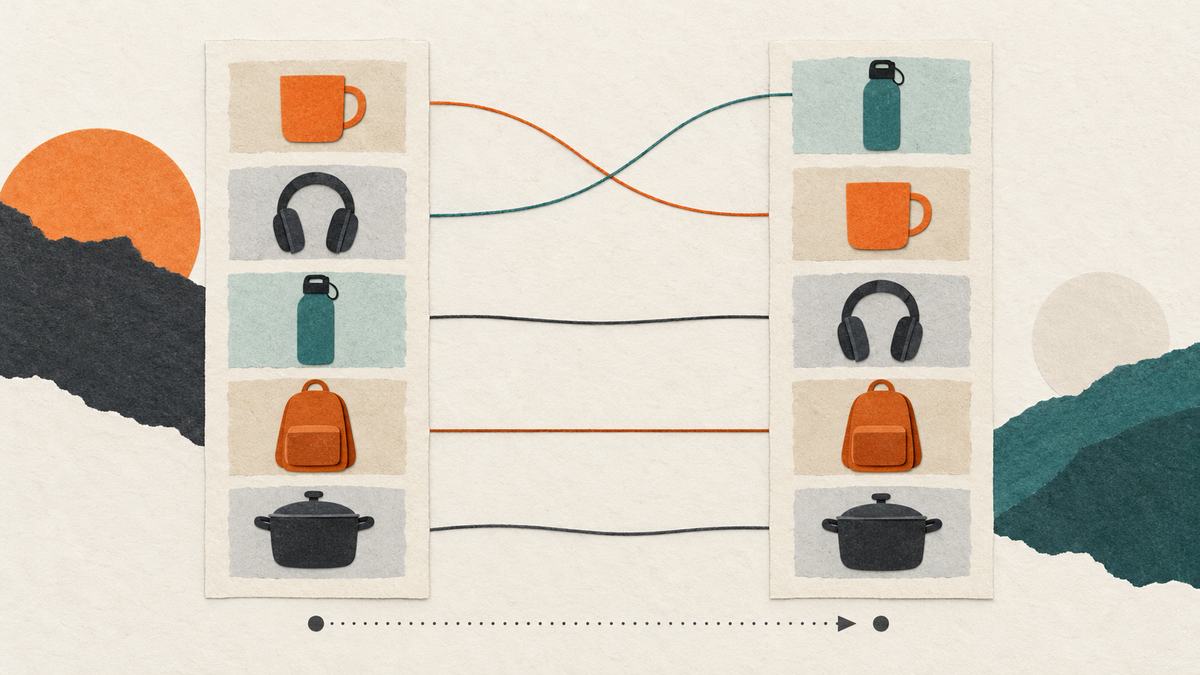
A Best Sellers rank only makes sense inside its own chart. Save the marketplace, returned category identity, observation time and displayed ranks before comparing two samples. If the chart identity changes, start a new series. If an ASIN is absent from a returned sample, report it as unobserved rather than inferring sales or stock.
I founded Serpent API, whose documented chart endpoint is used in this illustrative workflow. The October 4 source review and illustrative fixtures do not establish chart completeness or sales volume, and no recorded production chart is shown here.
This workflow is for category-chart observation, not a full Amazon sales ledger. It complements monitoring known ASIN prices and availability, which follows individual listings. For the overall product family and current release information, start with the Amazon API page and Bestsellers field contract.
What does an Amazon Best Sellers API snapshot actually tell you?
Serpent's documented response contains the chart Amazon served: category, category_id, category_slug, category_url, results_count and ranked results. Each chart entry may carry rank, position, asin, title, price, currency, rating and category identifiers. rank is the displayed chart rank; position is an array position. Use the former for a rank comparison and keep the latter only to diagnose what was returned. The contract does not include units sold.
A category chart is a slice of a marketplace at an observation time. It cannot establish all products in that category, a product's full sales history or why a rank changed. The category-specific view is documented as roughly 30 returned entries, while a site-wide view contains multiple carousels with repeated rank numbers. This guide requests one named category so each comparison has one chart identity. A product with rank=3 in electronics and another with rank=3 in home are not tied.
| Field | Use it for | Do not infer |
|---|---|---|
category_url | Verify the served marketplace hostname | That requested meta.domain proves the response origin |
category_slug and category_id | Keep one chart series together | That a slug means the same thing on every marketplace |
rank and asin | Compare a returned product's displayed position | Sales volume or a permanent category position |
results_count | Describe the returned sample size | Complete category coverage |
How do you reject a chart from the wrong marketplace or category?
Start with a marketplace and a category slug known to that marketplace, such as the documented electronics example on amazon.com. On every response, parse the hostname from category_url and check the returned category_slug. A slug can vary by marketplace. Root charts may have category_id: null; preserve that value rather than rejecting an otherwise matched chart. Keep any non-null ID in the series identity and compare it across snapshots. If the URL or slug is missing or mismatched, hold the response for review. The meta.domain field repeats what the request asked for; it does not validate the served chart.

Record a category chart safely
- Choose one chart. Fix the marketplace domain and a category slug for one observation series.
- Validate its identity. Read the returned category_url hostname and category slug before accepting a chart; retain any returned category ID for later comparisons.
- Save observed ranks. Store the timestamp and displayed rank by ASIN, preserving absent values as not observed.
- Compare matching snapshots. Report rank changes only when both snapshots identify the same marketplace and category.
Save the raw response separately from your normalized series if your retention rules permit it. It gives you evidence for a later field or category mapping correction. Store an observation time from your own clock; do not call it Amazon's update time. Keep one series per marketplace, slug and returned category ID, including a null ID for root charts. When a non-null ID appears, disappears or changes, start a new series or investigate before comparing ranks.
Python example: store and compare verified chart observations
The code below uses only Python's standard library. Save it as monitor_bestsellers.py. For an offline check, pass a saved JSON response filename; with no filename it makes the documented Serpent request using SERPENT_API_KEY. The live path is illustrative; no recorded production output is shown here. It rejects an unusable body, mismatched chart identity and a chart with no valid ranked rows before changing its local state file.
import json, os, sys
from datetime import datetime, timezone
from pathlib import Path
from urllib.parse import urlencode, urlparse
from urllib.request import Request, urlopen

DOMAIN = "amazon.com"
CATEGORY = "electronics"
STATE = Path("bestsellers-electronics.json")


def load_chart():
    # Use a saved JSON response while evaluating this documented Amazon API.
    if len(sys.argv) > 1:
        return json.loads(Path(sys.argv[1]).read_text())
    key = os.environ["SERPENT_API_KEY"]
    query = urlencode({"category": CATEGORY, "domain": DOMAIN})
    request = Request("https://apiserpent.com/api/amazon/bestsellers?" + query,
                      headers={"X-API-Key": key})
    with urlopen(request, timeout=60) as response:
        return json.load(response)


def observation(data):
    if data.get("success") is not True or not isinstance(data.get("results"), list):
        raise ValueError("No usable chart rows")
    chart_url = data.get("category_url")
    host = urlparse(chart_url).hostname if isinstance(chart_url, str) else None
    host = host.removeprefix("www.") if host else None
    slug, category_id = data.get("category_slug"), data.get("category_id")
    if host != DOMAIN or slug != CATEGORY:
        raise ValueError("Served marketplace or category could not be verified")
    ranks = {}
    for row in data["results"]:
        if not isinstance(row, dict):
            continue
        asin, rank = row.get("asin"), row.get("rank")
        if isinstance(asin, str) and asin and type(rank) is int and rank > 0:
            if row.get("category_slug") not in (None, slug):
                continue
            ranks[asin] = rank
    if not ranks:
        raise ValueError("No valid ranked rows to compare")
    return {"identity": [host, slug, str(category_id) if category_id is not None else None],
            "observed_at": datetime.now(timezone.utc).isoformat(), "ranks": ranks,
            "rows_returned": len(data["results"])}


current = observation(load_chart())
previous = json.loads(STATE.read_text()) if STATE.exists() else None
if previous and previous.get("identity") != current["identity"]:
    raise ValueError("Chart identity changed; keep the older series separate")
old = previous["ranks"] if previous else {}
new = current["ranks"]
report = {"moved": {asin: {"from": old[asin], "to": rank}
                    for asin, rank in new.items() if asin in old and old[asin] != rank},
          "first_observed": [asin for asin in new if asin not in old],
          "not_observed_now": [asin for asin in old if asin not in new]}
STATE.write_text(json.dumps(current, indent=2, sort_keys=True))
print(json.dumps(report, indent=2))
JavaScript example: the same identity and rank checks
Save this as monitor-bestsellers.cjs and run it with Node.js 18 or newer. Passing a fixture file avoids an API call while evaluating the documented contract. It keeps a separate state filename so it can be tested beside the Python version.
// Node.js 18+. Use a saved JSON response first to test your parser without spending a request.
const fs = require('node:fs');
const { URL } = require('node:url');
const DOMAIN = 'amazon.com';
const CATEGORY = 'electronics';
const STATE = 'bestsellers-electronics-node.json';

async function loadChart() {
  if (process.argv[2]) return JSON.parse(fs.readFileSync(process.argv[2], 'utf8'));
  const key = process.env.SERPENT_API_KEY;
  if (!key) throw new Error('Set SERPENT_API_KEY');
  const url = new URL('https://apiserpent.com/api/amazon/bestsellers');
  url.search = new URLSearchParams({ category: CATEGORY, domain: DOMAIN });
  const response = await fetch(url, { headers: { 'X-API-Key': key } });
  if (!response.ok) throw new Error(`HTTP ${response.status}`);
  return response.json();
}

function observation(data) {
  if (data?.success !== true || !Array.isArray(data.results))
    throw new Error('No usable chart rows');
  let host = null;
  try { host = new URL(data.category_url).hostname.replace(/^www\./, ''); } catch (_) {}
  const slug = data.category_slug;
  const categoryId = data.category_id;
  if (host !== DOMAIN || slug !== CATEGORY)
    throw new Error('Served marketplace or category could not be verified');
  const ranks = {};
  for (const row of data.results) {
    if (!row || typeof row !== 'object') continue;
    if (typeof row.asin === 'string' && row.asin &&
        Number.isInteger(row.rank) && row.rank > 0 &&
        (row.category_slug == null || row.category_slug === slug)) ranks[row.asin] = row.rank;
  }
  if (!Object.keys(ranks).length) throw new Error('No valid ranked rows to compare');
  return { identity: [host, slug, categoryId == null ? null : String(categoryId)],
           observed_at: new Date().toISOString(), ranks,
           rows_returned: data.results.length };
}

(async () => {
  const current = observation(await loadChart());
  const previous = fs.existsSync(STATE) ? JSON.parse(fs.readFileSync(STATE, 'utf8')) : null;
  if (previous && JSON.stringify(previous.identity) !== JSON.stringify(current.identity))
    throw new Error('Chart identity changed; keep the older series separate');
  const old = previous?.ranks || {};
  const moved = {};
  for (const [asin, rank] of Object.entries(current.ranks))
    if (Object.hasOwn(old, asin) && old[asin] !== rank)
      moved[asin] = { from: old[asin], to: rank };
  const report = { moved,
    first_observed: Object.keys(current.ranks).filter(id => !Object.hasOwn(old, id)),
    not_observed_now: Object.keys(old).filter(id => !Object.hasOwn(current.ranks, id)) };
  fs.writeFileSync(STATE, JSON.stringify(current, null, 2));
  console.log(JSON.stringify(report, null, 2));
})().catch(error => { console.error(error.message); process.exitCode = 1; });
Illustrative parsed output, not a production chart measurement:
{
  "moved": {"B000DEMO01": {"from": 5, "to": 3}},
  "first_observed": ["B000DEMO03"],
  "not_observed_now": ["B000DEMO02"]
}
In this illustration, the second ASIN was not in the second returned chart. It may still be in the wider category or in a different observed position outside this sample. A dashboard label should say “not observed now,” never “stopped selling.” Treat an empty or mismatched response as an unaccepted observation, not a zero-rank day.

What should the schedule and budget be?
Choose a schedule to match the decision, not an arbitrary “real-time” promise. A daily capture may suit weekly merchandising review; faster alerts need their own freshness check and more requests. One illustrative plan is five category charts observed once daily for 30 days: 5 × 30 = 150 chart requests. Serpent's published Default Amazon rate is $0.020 per 1,000 requests, so 150 × $0.000020 = $0.003 of metered usage at the published rate. This excludes account funding terms, storage and any extra product-detail calls. It says nothing about actual chart delivery or completeness.
Do not convert a chart call into a price per product by dividing by its returned rows; a shorter chart would make that estimate unstable. The wider Amazon API comparison covers provider selection, while the Python Amazon build guide handles product and search records rather than this category-series decision.
Which API fits a category-rank tracking job?
These official product pages were checked on October 4, 2026. They are compared for the same intended job—observe five named categories each day—but their access and output are not equivalent. The table does not rank delivery quality, which was not measured.
| Option | What it returns for this job | Published unit or access | Limitation to weigh |
|---|---|---|---|
| Amazon Selling Partner API | Catalog Items can expose sales ranks for known ASINs, after seller authorization | Platform permissions and operation limits; no like-for-like public whole-chart price on the cited page | Excellent when you manage authorized catalog items; not a general five-category chart enumeration call. |
| Serpent Amazon Bestsellers | Documented category chart with displayed rank and product cards in one request | $0.020 per 1,000 requests at Default, subject to published account terms | Live endpoint. The returned chart sample and category must be checked, and no delivery quality was measured for this guide. |
| Keepa Best Sellers API | ASIN list for a category; documented current, average-rank and historical list modes | 50 tokens per Best Sellers request under a monthly token plan | Lists can be cached and category/list rules differ; product details need additional calls. |
For 150 chart requests, Keepa's published 50-token unit is 7,500 tokens; its subscription cannot honestly be converted to a universal $/chart from that figure alone. Amazon's authorized per-ASIN sales ranks do not answer the same whole-chart question. Serpent's simple request rate is attractive on paper, but it is a published rate, not a delivery claim, so verify returned charts with your own sample. Recheck the public field contract, rate card before using any of these numbers in a purchase decision.
What can a rank monitor miss?
A chart can be shorter than a category. The returned rows are observations, not a census. If an ASIN is absent tomorrow, record that it was unobserved in that response. Avoid filling a rank with zero, infinity or the last known position; each would claim a fact the response did not provide.
Categories move and differ between marketplaces. Even a familiar slug can resolve differently outside its original marketplace. A valid response can carry an unexpected chart. Compare the returned URL and identifier every time; if they change, pause that series. A currency on a product card does not prove which category or marketplace the chart represents.
Make the pause visible in your report. Suppose Monday's amazon.com electronics chart has returned category ID 123 and an ASIN at rank 5. On Friday the same requested slug returns ID 456 and that ASIN at rank 3. Those illustrative rows belong to different observed chart identities: open a new series and investigate the category mapping instead of reporting a move from 5 to 3. Apply the same hold when an earlier root-chart ID is null and a later non-null ID appears. The sample programs reject an identity change rather than overwrite the previous snapshot.
Rank is not demand. A higher observed position can accompany promotions, seasonality, a changed set of products or other causes. There is no unit-sales field to explain it. If your business needs seller-authorized pricing or catalog management, the official Amazon SP-API path may be the right tool. If you need richer historical rank lists, Keepa's list modes deserve a field-and-freshness trial.
When the chart identity stays the same, publish a two-date comparison only for ASINs present in both returned samples. Show old rank, new rank, both timestamps and the row counts. Put newly observed and not observed ASINs in separate columns; neither is a sales event. If your dashboard needs a coverage measure, divide matched ASINs by the union of returned ASINs for those two snapshots and label it sample overlap, not category recall. You cannot calculate recall without a known full category list.
A useful acceptance check
Pick one marketplace and one category. Manually record the chart URL and several visible ASIN/rank pairs on two dates. Compare those observations with the parsed rows from any API you evaluate, including chart identity, row count and which ASINs were absent. Report the hit rate and field quality for that exact sample; a 200 response or a low price alone is not evidence that the monitor serves your task. An authenticated parsed Serpent response has not been checked for this workflow.
Plan one category series first
Check the documented chart fields, choose a marketplace-specific category, and test parsed rank rows with your own samples.
Read the Bestsellers contractAmazon API release information · Known-ASIN monitoring guide
FAQ
Does a better Best Sellers rank show how many units sold?
No. A displayed rank is a position in an observed category chart, not a sales count. The documented Serpent chart response has no sales-volume field.
Why check the returned category URL?
A category slug can vary by marketplace. Compare the hostname in category_url and the returned category slug with your intended chart. Keep any returned category ID in the series identity and compare it across snapshots; a root chart can have a null ID. The meta.domain value repeats your request and cannot prove what was served.
Does an absent ASIN mean it stopped selling?
No. It means the ASIN was not in that returned chart sample. The chart can be shorter than the full category, and rankings and availability change.
Is the Serpent Amazon Bestsellers API available now?
Yes. Amazon Bestsellers is a live Serpent endpoint, documented in the API reference and priced on the pricing page. The examples in this guide use illustrative fixtures rather than a recorded production chart, so run your own sample and check the returned rows before you build on it.